FFmpeg使用
安装
- 下载:
https://www.ffmpeg.org/download.html https://ffmpeg.zeranoe.com/builds/
or ffmpeg-20200513-b12b053-win64-static.zip
- 配置
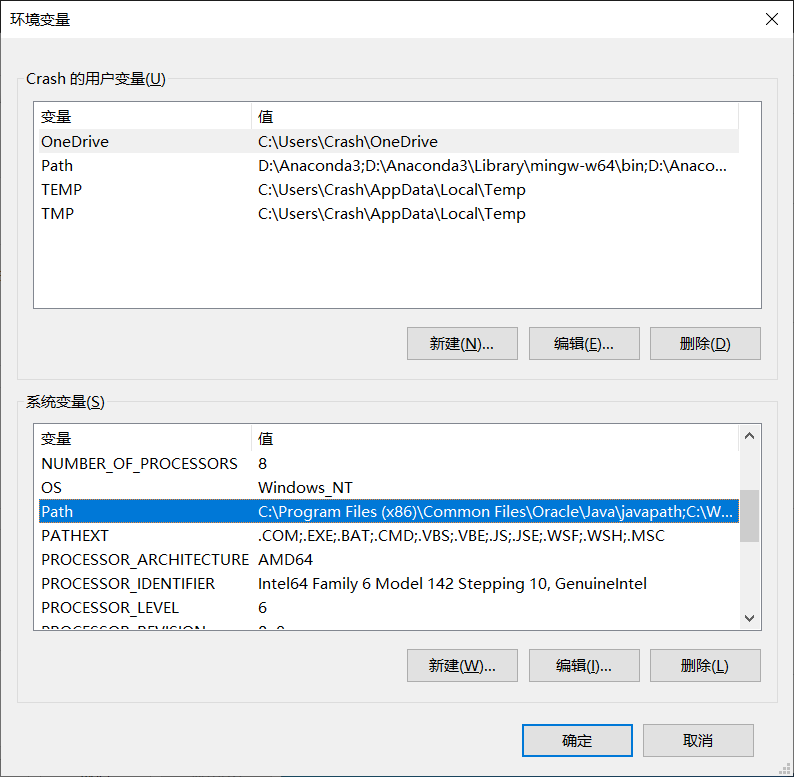
此电脑->属性->高级系统设置->环境变量->系统变量Path->添加bin目录
格式转换
ffmpeg -i [input filename] [output filename]
提取音频
    ffmpeg -i [input] -acodec copy -vn [output].aac


    (-vn:不处理视频)
提取视频
    ffmpeg -i [input] -vcodec copy -an [output]


    (-an:不处理音频)
合并视频音频
取消音轨:
ffmpeg -i [video filepath] -vcodec copy -an [new filename]
添加音频:
ffmpeg -i [new filename] -i [audio filepath] [final filename]
视频剪辑
    ffmpeg -ss [hh:mm:ss] -t [hh:mm:ss] -accurate_seek -i [input] -codec copy -avoid_negative_ts 1 [output]


    -ss:开始剪辑时间  -t:需要剪辑时长
视频合并
ffmpeg -f concat -i [txt] -c copy [output]
txt文本:
    file '[input1]'
    file '[input2]'
    ......
bug:
txt文件名首字母需要与input文件名首字母一致,且需要在'[input]'中去除首字母
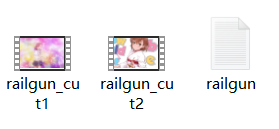

出现Unsafe file name:
ffmpeg -f concat -safe 0 -i [txt] -c copy [output]
提取图片
全部提取:
    ffmpeg -i [input] -r [number] -q:v 2 -f image2 [filename]%03d.jpg


    -r:每秒帧数 -q:v:图片质量,2为高质量
限时提取:
ffmpeg -i [input] (-ss [hh:mm:ss] -t [number]) -r [number] -q:v [number] -f image2 pic-%03d.jpg
合并图片
一键合并:
ffmpeg -y -r [Frame] -i [input]%d.[Format] -vcodec libx264 [output]
使用txt合并:
ffmpeg -f concat -safe 0 -i [txt] -vsync vfr -pix_fmt yuv420p [output]
txt文件:
    file '[path_1]'
    duration [time]
    ......
    file '[path_n]'
    duration [time]
    file '[path_n]'
添加水印
ffmpeg -i [input] -i [logo path] -filter_complex overlay=[x:y] output.mp4
水印位置:
    x -> main_w:视频宽度
        overlay_w:水印宽度


    y -> main_h:视频高度
        overlay_h:水印高度